

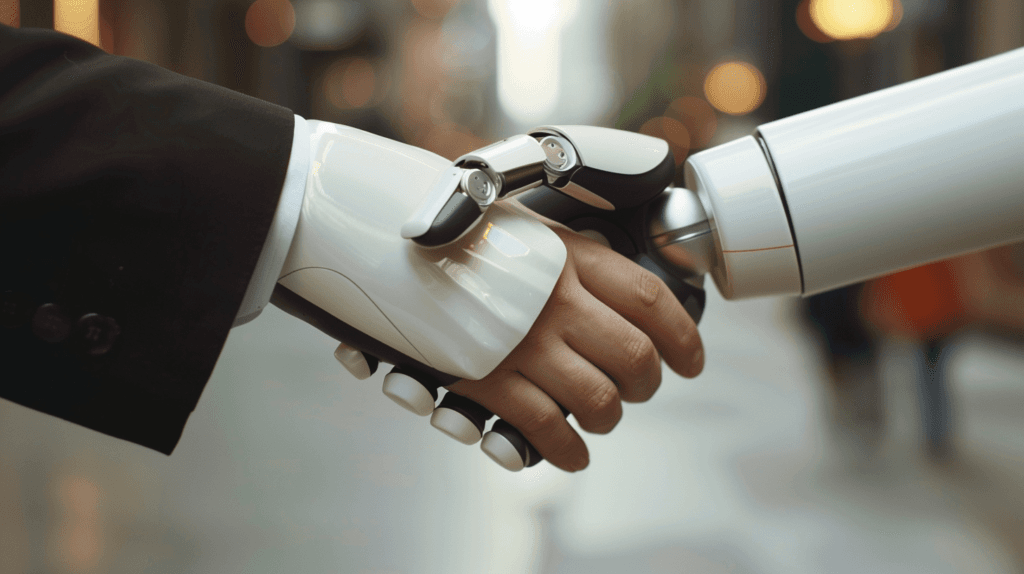
AI at work changes fewer jobs than people fear and more tasks than they imagine. A job is a bundle of tasks. Some are repetitive, follow a pattern and depend on reading a lot of data, and AI already handles those well. Others require context, judgment, conversation and accountability for the result. Those stay with people, and they take up a larger part of the day.
The public conversation tends to swing to extremes: either everything will be automated, or nothing will change. In the operation of a mid-sized company, what we see is more concrete. Below: how to think about AI task by task, what changes in the daily flow, which skills gain weight and what falls to leadership.
Think in tasks, not jobs
The question "will AI replace this job?" almost always leads to a bad answer. The better question is a different one: which tasks in this job follow a pattern and which require judgment?
An example from legal work. A lawyer reads contracts, looks for risky clauses, researches previous rulings, talks to the client and decides the strategy. AI reads and summarizes documents in volume, flags clauses that fall outside the standard and organizes the research. The strategy and the conversation stay with the lawyer.
In healthcare, diagnostic support systems highlight areas of attention in an imaging exam. The person who signs the report, talks to the patient and decides the treatment is still the doctor.
In the finance team of a mid-sized company, AI reconciles statements, classifies entries and points out discrepancies. The analyst decides what to do about each discrepancy and explains the numbers to the board.
In every case, the job still exists. What changes is how much of the day goes to each type of task.
A practical way to take inventory
Pick a job and list the tasks of a normal week. For each one, answer:
| Question | If the answer is yes |
|---|---|
| Does it follow a pattern you can describe? | Good candidate for automation or AI |
| Does it depend on reading a lot of text or data? | AI helps triage and summarize |
| Does it require knowing the client or the company's history? | Stays with the person |
| Is a mistake costly or hard to undo? | AI suggests, the person decides |
| Does it involve negotiation, conflict or leadership? | Stays with the person |
This exercise is a small version of the process mapping we recommend before any automation project. Without it, the company buys a tool for a problem nobody has described.
How the flow between person and AI works
When AI is brought in well, work becomes a short loop:
- The person defines the intent. What needs to be done, for whom, under which constraints.
- AI produces options. A draft, a summary, a list of possibilities, a first version.
- The person chooses and corrects. Adds context, discards what does not fit, adjusts the tone.
- AI executes at scale. Replicates what was approved across hundreds of cases.
- The person checks the result. By sampling, or on the cases the system flagged as uncertain.
A designer generates dozens of layout variations and uses their own eye to pick one. A salesperson asks for a summary of the customer's history before the call and arrives knowing what matters. A purchasing analyst asks for a comparison of three proposals and spends the time negotiating instead of building a spreadsheet.
The gain lies less in doing the same thing faster and more in taking the work of memorizing, copying and consolidating off people's minds. That leaves attention for deciding.
Where this flow breaks
The loop fails in two ways. In the first, the person accepts everything AI returns without checking, and the error moves forward looking like good work. In the second, the person redoes everything out of distrust, and AI becomes one more step. The balance comes from a clear rule: what is always checked, what is checked by sampling and what AI does alone.
The skills that gain weight
When generating an answer becomes cheap, value moves elsewhere:
- Asking the right question. Knowing what to ask for and with which context completely changes what AI returns.
- Critical thinking. Distrusting a well-written answer and checking it before using it.
- Business knowledge. Understanding why a rule exists, who the customer is, what has gone wrong before.
- Communication and relationships. Negotiating, persuading, calming an angry customer, aligning departments that disagree.
- Accountability for the decision. AI does not answer for the result. Someone has to sign off.
None of these skills is new. What changes is the share of the day they take up and how much they set one professional apart from another.
Where AI still falls short
It pays to be honest about the limits, because that is where most of the frustration comes from:
- Context that is not written down. Much of what the team knows lives in people's heads: a large customer's exception, an agreement made over the phone, the reason a process works the way it does. AI only uses what it receives.
- Messy data. Spreadsheets with different versions, duplicate records and systems that do not talk to each other drag down the quality of any answer.
- Rare cases. AI does well on the pattern and stumbles on the exception, which is often exactly the case that matters most to the customer.
- Legal and ethical accountability. Decisions about credit, hiring, health or dismissal call for clear human criteria and a record of who decided.
That is why, before discussing tools, we look at the process and the data. When both are in order, AI delivers. When they are not, it only exposes the problem faster.
The role of leadership
The biggest obstacle to AI at work tends to be management, more than technology. Three points weigh the most.
Redesign the process, beyond handing out the tool
Giving the whole team access to an AI assistant and expecting the gain to show up on its own rarely works. Everyone uses it differently, nobody measures and the result disappears. The difference between using a standalone tool and having AI built into a process is the subject of our article on ChatGPT in the company.
Train continuously
Tools change fast, and one training session a year cannot keep up. It works better to set aside recurring time for the team to test, share what they learned and record what worked in each area's process. Whoever learns first becomes a reference for colleagues.
Make it safe to experiment
If the team believes that using AI well will cost them their jobs, they hide what they discovered. Leadership that makes clear what changes and what stays, and treats test errors as learning, gets the best usage ideas back.
It also helps to agree on written rules: which data can go into which tool, what needs human review and who answers for each decision. That protects the company and removes the team's doubt about what is allowed.
Where to start in a mid-sized company
A path that tends to work:
- Pick an area with a lot of repetitive work and an interested manager.
- Take inventory of that area's tasks, using the table above.
- Pick two or three tasks with a clear pattern and cheap mistakes.
- Measure the before: time spent, errors, rework.
- Implement, follow up for a few weeks and compare.
- Only then take it to other areas.
A common mistake at this stage is picking the most visible task instead of the most repetitive one. The task that comes up in board meetings is not always the one that eats the most team hours. The inventory solves this, because it shows where time actually goes.
The initial goal is to learn how AI fits into that team's work. With that learning, the next area moves faster and with less resistance.
We see AI at work as a way to give people time back for what they do best. That only happens when someone designs where it fits, who reviews and how the gain is measured.